
HP 219X High Yield Magenta Toner Cartridge (W2193X)
View our full product guarantee details



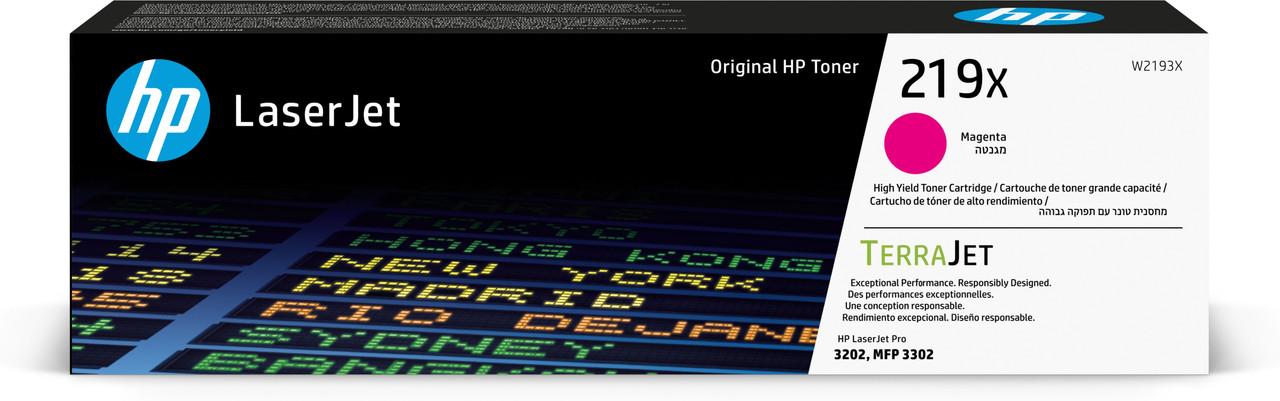


HP 219X High Yield Magenta Toner Cartridge (W2193X)

Specification
- Brand
- HP
- SKU:
- W2193X
- UPC:
- 0195161016332
- Colour
- Yield
- 2500
Product Overview
✔ Next Day Delivery Available | ✔ Genuine HP Product | ✔ Manufacturer Warranty | ✔ Professional Quality Printing
- Brand: HP (Original)
- Model: W2192X
- Type: Toner Cartridge
- Colour: Magenta
- Yield: 2,500 pages @ 5% coverage
Original HP 219X Magenta Toner Cartridge (W2192X)
The genuine HP 219X Magenta toner cartridge delivers professional-quality output and reliable performance designed for HP Color LaserJet Pro 3202 and 3302 series printers.
Installation Guide
- Open the toner access door.
- Remove the used cartridge.
- Unpack the new HP toner and gently rock it side to side.
- Remove the protective seal.
- Insert into the printer until firmly seated.
- Close the cover and print a test page.
OEM vs Compatible Comparison
- OEM: Manufactured by HP for guaranteed compatibility and consistent print quality.
- Compatible: Third-party alternative designed to reduce cost.
- Quality Assurance: OEM cartridges undergo HP factory testing.
- Firmware Compatibility: OEM cartridges are unaffected by HP firmware authentication updates.
FAQ – HP 219X Magenta
How many pages does this cartridge print?
This cartridge prints approximately 2,500 pages at 5% coverage.
Is this a genuine HP product?
Yes, this is an original HP-manufactured toner cartridge.
What are firmware updates?
Firmware updates are software updates released by HP that may adjust printer functionality, security, or cartridge authentication behaviour.
Do firmware updates affect OEM cartridges?
No. Genuine HP cartridges remain fully compatible with HP firmware updates.
Should I disable automatic firmware updates?
Firmware updates may include security improvements. If you prefer manual control, you can disable automatic updates in your printer settings or via the Embedded Web Server.
How do I turn off automatic firmware updates?
Go to Settings → Printer Maintenance → Update Settings and disable automatic updates. Alternatively, access the printer’s IP address in a browser and disable Remote Firmware Upgrade.
Warranty Information
Printer Cartridge 100% Moneyback Guarantee & Warranty
 Cartridge World wants you to print happy. We want the experience you have with Cartridgeworld.co.uk to be trouble-free. However, in the unlikely event that you do have a problem, everything we sell is covered by our 100% Satisfaction Guarantee.
We guarantee that your standard printer warranty will not be invalidated by using our Cartridge World branded cartridges. In the rare event that any of our cartridges do cause a problem with your printer, we'll arrange for your printer to be replaced if it can't be repaired
Frequently Asked Questions
Customer reviews
Compatible alternative available
Looking for a compatible cartridge option?
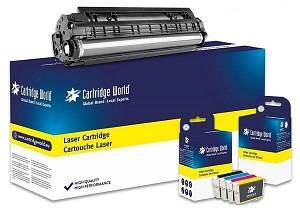
We also stock a clearly labelled Cartridge World compatible alternative for this product.
Compatible alternative
This is a compatible product and is not manufactured by the original printer brand.
Save with this compatible alternative
Printing cost:
- Lower-cost alternative
- Cartridge World quality checked
- Backed by our product guarantee
Why choose Cartridge World own-brand ink and toner?
- Up to 50% cheaper than original brand cartridges.
- Outstanding print quality designed to be comparable to the originals.
- Reliable performance and tested for printer compatibility and page yield.
- 2-year warranty and backed by our product guarantee.
We stand behind our own-brand cartridges
We understand that some customers are cautious about using own-brand cartridges. At Cartridge World, every own-brand cartridge is quality checked and backed by our guarantee.
If your printer is damaged as a direct result of using a Cartridge World own-brand cartridge, we’ll repair or replace it free of charge. You can read the full details on our product guarantees page.
Using a compatible cartridge does not automatically invalidate your printer warranty, and we are here to help if you ever need advice.
Need help choosing the right cartridge? Email customerservice@cartridgeworld.co.uk or call 01423 701704.
Customer reviews of our low-cost ink and toner
Frequently Bought Together
-
-
Total Price (ex vat.):
Add to Cart

Please choose options for all selected products
Related Products

Cartridge World
Compatible HP 219X High Yield Magenta Toner Cartridge (W2193X)
£66.39
(Inc. VAT)
£55.32
(Ex. VAT)
✓ Save when buying 2 or more
HP
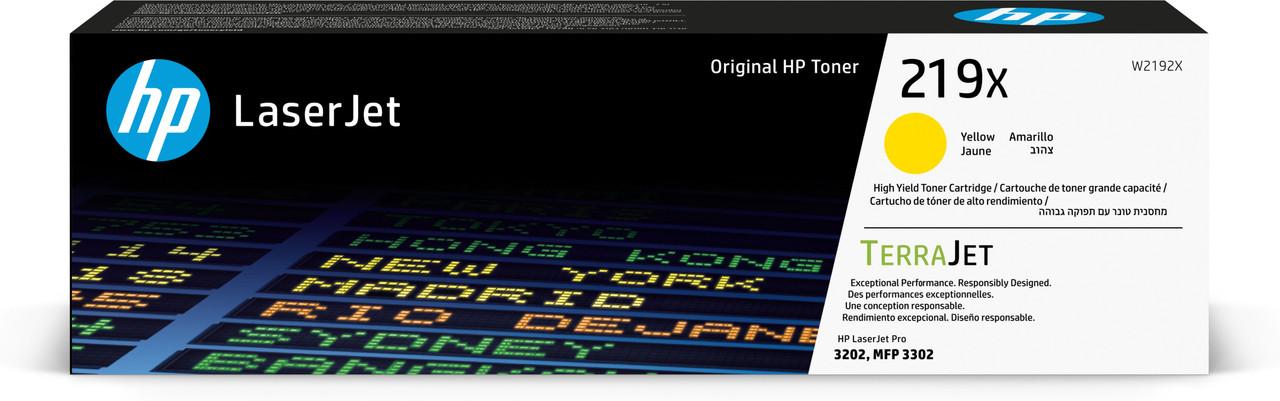
HP 219X High Yield Yellow Toner Cartridge (W2192X)
£112.04
(Inc. VAT)
£93.37
(Ex. VAT)
✓ Save when buying 2 or more

HP
HP 219X High Yield Black Toner Cartridge (W2190X)
£99.27
(Inc. VAT)
£82.72
(Ex. VAT)
✓ Save when buying 2 or more

HP
HP 219X High Yield Cyan Toner Cartridge (W2191X)
£113.70
(Inc. VAT)
£94.75
(Ex. VAT)
✓ Save when buying 2 or more